Showing posts with label released. Show all posts
Showing posts with label released. Show all posts
Friday, October 4, 2013
Mac OS X 10 6 7 Released Download Now
Apple has just released new update to Snow Leopard Mac OS X 10.6.7 which brings a number of fixes. The new update is recommended for all users running Mac OS X Snow Leopard .

Read more...
The 10.6.7 Update is recommended for all users running Mac OS X Snow Leopard and includes general operating system fixes that enhance the stability, compatibility, and security of your Mac, including fixes that:Download Mac OS X v10.6.7 Update
- Improve the reliability of Back to My Mac
- Resolve an issue when transferring files to certain SMB servers
- Address various minor Mac App Store bugs
For detailed information on this update, please visit this website: http://support.apple.com/kb/HT4472.
For information on the security content of this update, please visit: http://support.apple.com/kb/HT1222.

Wednesday, September 25, 2013
Redsn0w 0 9 8b7 Released With Added Support To Updated iPad iOS 5 Beta 6 IPSW
A new release of Redsn0w has just been released with added support for the updates ipsw file for iPad 1 iOS 5 Beta 6.
MuscleNerd has posted the new on his twitter account. This minor update comes after Apple updating the IPSW for the iPad 1 on iOS 5 Beta 6 But they didn’t change the version number or the file name for unknown reasons.
This update of Redsn0w can jailbreak both th original and the updated ipsw. Also this update supports iOS 4.3.5 and iOS 4.2.10 which means you won’t have to point Redsn0w to IPSWs of iOS 4.3.4/4.2.9 when using it to jailbreak your device.Update #7: Apple updated the iPad1 iOS5b6 IPSW without changing its version number or filename, so we’re releasing redsn0w 0.9.8b7 to handle both the original and changed IPSW. We’ve also added explicit support for a tethered 4.3.5/4.2.10 jailbreak (instead of pointing at the 4.3.4/4.2.9 IPSWs) and fixed a 4.2.10 problem.Here is how to use Redsn0w to jailbreak your device[Tutorial].
Download Redsn0w 0.9.8b7 For [Mac & Windows].


Sunday, September 22, 2013
Absinthe 2 0 4 Released
Absinthe 2.0.4 Released
Absinthe: V2.0.4
CHANGES
iPad 1, iPad 2, iPad 3 (iPad2,4 is now supported as of Absinthe 2.0.4)
iPhone 3GS, iPhone 4, iPhone 4S
iPod touch 3rd generation, iPod touch 4th generationHow To Use Absinthe 2.0
1. Make a backup of your device in iTunes by right clicking on your device name under the ‘Devices’ menu and click ‘Back Up’.
2. Once your backup is complete return to your device and go to Settings – General – Reset – Erase all Content and Settings. This will make the jailbreak process much faster.
3. Open Absinthe and be sure you are still connected via USB cable to your computer.
4. Click ‘Jailbreak’ and wait…. just be patient and do not disconnect your device.
5. Once jailbroken return to iTunes and restore your backup from earlier. Right click on your device name under the ‘Devices’ menu in the left panel of iTunes and click ‘Restore from Back Up…’ then select the latest backup you created before. (restoring this backup will return all the content previously on your device ie, apps, photos, etc.)
6. Thanks for using Absinthe, enjoy your jailbroken iDevice!

Sunday, September 15, 2013
Absinthe 2 0 2 is released to Jailbreak iPhone 4 firmware 9B208
Absinthe v2.0.2
Absinthe jailbreaking tool has been updated by Chronic Dev team to v 2.0.2 to support the new firmware version of iOS 5.1.1 (Build 9B208) for iPhone 4 GSM.
Here’s what the Chronic Dev team tweeted:tSupport for the new iPhone4 firmware (9B208) is on the way, should be live within a couple of hours#Absinthe
#Absinthe 2.0.2 is now live! Includes support for new iPhone4 firmware 9B208
Supported Devices with Absinthe 2.0.2:
- iPad 1, iPad 2, iPad 3
- iPhone 3GS, iPhone 4, iPhone 4S
- iPod Touch 3G, iPod Touch 4G
Download Links:


Saturday, September 14, 2013
Apple Released iTunes 10 2 2 with Bug Fixes
Apple has just released iTunes 10.2.2 for both Mac OS X and Windows. iTunes 10.2.2 brings a lot of bug fixes and improvement. check out the full changelog after the jump.Download iTunes 10.2.2 for Mac and Windows.
- Addresses an issue where iTunes may become unresponsive when syncing an iPad.
- Resolves an issue which may cause syncing photos with iPhone, iPad, or iPod touch to take longer than necessary.
- Fixes a problem where video previews on the iTunes Store may skip while playing.
- Addresses other issues that improve stability and performance.

Wednesday, September 11, 2013
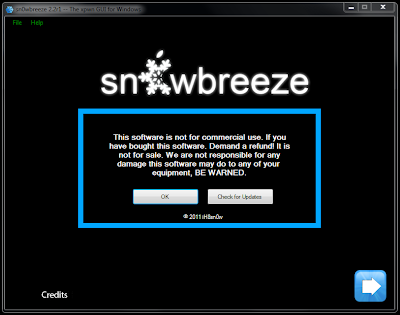
Sn0wbreeze 2 8 Beta 3 Released To Jailbreak iOS 5 Beta 2 On Windows
A new version of sn0wbreeze has just gone live a couple of hours ago. Sn0wbreeze 2.8 beta 3 now comes with added support for jailbreaking iOS 5 beta 2 on Windows. iOS 5 beta 2 was released yesterday by Apple for developers.

Official release notes of Sn0wbreeze 2.8b3:
========================If you are a Mac user, you can use our guide posted here to jailbreak iOS 5 beta 2 tethered on iPhone, iPad and iPod touch using a Mac machine.
sn0wbreeze v2.8 BETA 3:
========================
* Now jailbreaks iOS 5 (beta 2)
* Intended for developers ONLY!
* Does not Hacktivate or add afc2 in this release to prevent piracy.
* iPhone 3GS old bootrom users have an untethered boot.
* Now only 15MB :)
========================
Supported Devices:
========================
* iPhone 3GS (old bootrom) [UNTETHERED]
* iPhone 3GS (new bootrom) [TETHERED]
* iPhone 4 GSM [TETHERED]
* iPhone 4 CDMA [TETHERED]
* iPod Touch 3G [TETHERED]
* iPod Touch 4 [TETHERED]
* iPad 1G [TETHERED]
========================
Now available at: http://ih8sn0w.com/sb28b3
========================
Download Sn0wbreeze 2.8 Beta 3 for iOS 5 beta 2 jailbreak
Sn0wbreeze 2 5 Released to Jailbreak iOS 4 3 1 on iPhone iPod Touch iPad
iH8sn0w has just released sn0wbreeze 2.5 (aka PwnageTool for Windows) to bring untethered jailbreak for iOS 4.3.1 by creating custom firmware.
Supported devices:Download Sn0wbreeze 2.5 for Windows
- iPhone 3G/3G[S]/4
- iPod Touch 2G/3G/4
- iPad
- Apple TV 2
Monday, September 9, 2013
iFaith v1 3 Released Fixes DFU Loops And Other Bugs
iH8Sn0w has released a new version ofiFaith v1.3. iFaith v1.3 comes with some major changes so we cannot say it’s a minor release. One the major issue which has been fixed in this release is “DFU Loop”, some users were stuck continuous DFU Loop after restoring back to stock or jailbreaked firmware. The problem has been fixed now, complete change log is given below.

iFaith v1.3 supports following devices :
iFaith v1.3 supports following devices :
As iFaith uses DFU bootrom exploit to work and we don’t have any bootrom level exploit for iPad 2 to iFaith v1.3 won’t support iPad 2.
- Apple TV 2G
- iPad 1
- iPhone 3GS
- iPhone 4
- iPod Touch 2G
- iPod Touch 3G
- iPod Touch 4G
Release Notes of iFaith v1.3:For iOS 3.1.x/3.2.x/4.0.x/4.1/4.2.1/4.2.6/4.2.7/4.2.8/4.3/4.3.1/4.3.2/4.3.3Want to know more about iFaith, please read below:
DFU Loops were being caused on devices that had the factory certificate.
On this new version. When building the signed IPSW. If you were getting
a DFU loop, say “NO” to the prompt about using the standard
signing certificate.
——————————-
* You can now use TinyUmbrella blobs to build a signed IPSW.
[Change Filetype in browse dialog to "TinyUmbrella SHSH blobs".]
——————————-
* Now adds ECID to beginning of the SHSH filename after dumping.
* Now adds ECID to beginning of the IPSW filename after being built.
* Cleaned up code + payload.
* Its not possible to add iPad 2 support until a bootrom exploit arises.if you want to restore your iDevice to a previous iOS, the process will fail unless you have the blobs for that particular iOS version saved and use such tools as TinyUmbrella.Download iFaith v1.3:
But, saving the blobs for an iOS version can only be done as long as Apple still signs that iOS. When a new iOS version is being released, Apple stops signing the previous version and if you didn’t save your blobs you can kiss your downgrade goodbye. Or that’s how it was until today. Because iFaith takes care of this problem.
If your iDevice is susceptible to the Limera1n jailbreak ( all iDevices except iPad 2, iPhone 3G and iPod Touch 2G – last two are forever jailbreakable ) you can use iFaith to dump the blobs from the device.
For example, if your device is running a prior iOS to 4.3.3 ( latest release to date ), you can use iFaith to get the blobs for your iOS version even if Apple stopped signing it.
iFaith v1.3

Subscribe to:
Posts (Atom)